

Springer PublishingCourseConnect

    CourseConnect Customer Sweepstakes

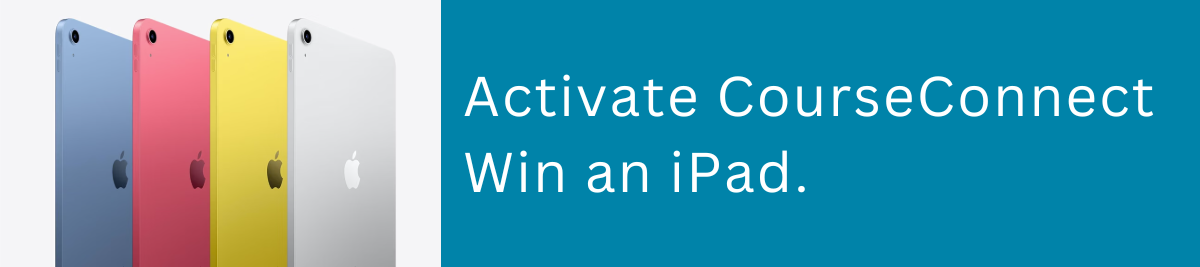
    Activate CourseConnect.Win an iPad.

    Activate your CourseConnect access and you’ll be entered for a chance to win one of seven iPads.

    If you activate an eligible CourseConnect course, you can be entered for a chance to win. Seven iPads will be awarded during the sweepstakes.

    Activate CourseConnect. Win an iPad.
    7 iPads7 Weekly DrawingsEnds October 30

    How it works

    Activate. Learn. You Could Win.

    01

    Find your access

    Already purchased an eligible Springer Publishing title?

    Locate the CourseConnect access included with your print book or eBook. If you purchased CourseConnect digital access directly, your course may already be waiting in your account.

    02

    Activate CourseConnect

    Redeem your access code and activate your course.

    Use your CourseConnect code to activate your learning materials and get started. Any courses activated between August 1, 2026 through October 30, 2026 will be automatically entered into the sweepstakes.

    03

    Start learning

    Sign in and start using CourseConnect.

    Eligible activations can receive one entry into the CourseConnect Customer Sweepstakes. See Official Rules for complete entry requirements.

    Giveaway details

    Seven iPads. Seven Weekly Drawings.

    Springer Publishing will award seven iPads through seven weekly sweepstakes drawings.

    7

    iPads

    7

    Weekly Drawings

    $399

    Approximate Retail Value of Each iPad

    See the Official Sweepstakes Rules below for weekly entry periods, drawing dates, eligibility, odds, prize restrictions and complete details.

    FIND YOUR ACCESS CODE

    Where Do I Find My CourseConnect Access?

    The process depends on how you purchased your Springer Publishing product. Choose the option that applies to you.

    Print book

    I Purchased a Print Book

    Your CourseConnect code is inside your book.

    If you purchased a print title that includes CourseConnect from Springer Publishing, your textbook includes a CourseConnect card bound into the book.

    1. 1Find the CourseConnect card inside your book.
    2. 2Scratch off the covered area to reveal your CourseConnect Access Code.
    3. 3Visit the Springer Publishing Redeem Code page.
    4. 4Enter your code and follow the instructions to activate your CourseConnect materials.

    eBook / VitalSource

    I Purchased an eBook

    Your CourseConnect access code is available through VitalSource.

    For eligible eBooks purchased through Springer Publishing:

    1. 1Open your title in your VitalSource Bookshelf.
    2. 2Confirm you have the correct title for your course/ISBN.
    3. 3Reveal and copy your CourseConnect Access Code.
    4. 4Go to the Springer Publishing Redeem Code page and enter the code to activate your materials.

    Digital access

    I Purchased CourseConnect Digital Access

    Your course may already be waiting for you.

    When CourseConnect digital access is purchased directly, the title is automatically added to the purchaser’s CourseConnect account under:

    “Not Yet Started”

    There is no need to redeem a separate access code in this scenario.

    Already activated?

    Your course is waiting.

    Sign in to CourseConnect to access your course materials and start learning.

    Sign in to CourseConnect

    No Purchase Necessary

    No purchase is necessary to enter or win, and a purchase does not increase your chances of winning.

    Eligible entrants may also enter using the free mail-in method described in the Official Sweepstakes Rules.

    View official rules

    CourseConnect

    Ready to Get Started?

    Redeem your CourseConnect access and start using your learning materials today.

    Activate CourseConnect. Win an iPad.